01
Make room for every lesson.
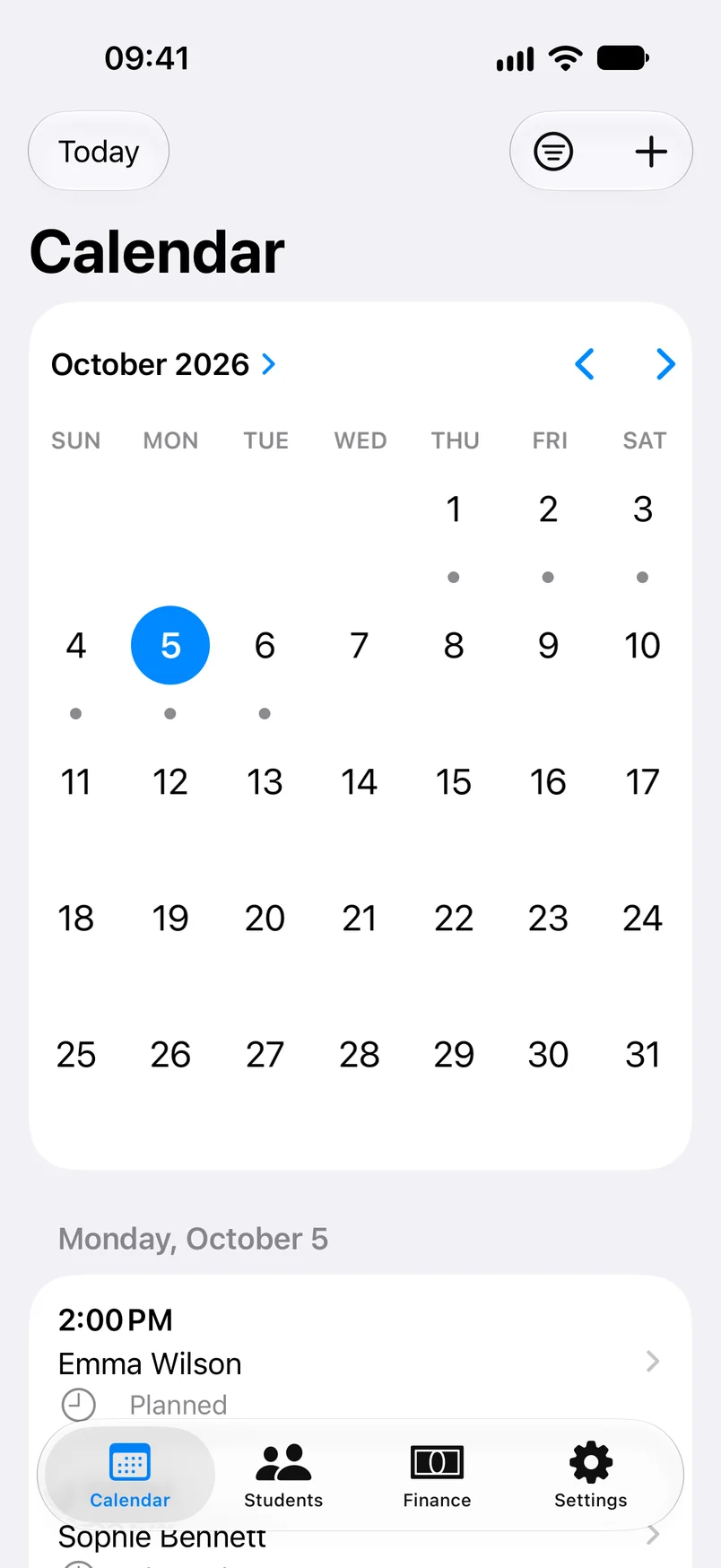
Plan individual lessons or set a recurring schedule. Keep times, topics, formats, and lesson statuses together.
YOUR TUTORING, TOGETHER
Meet TutNote. A calmer way to manage your lessons, students, and payments — all in one place on your iPhone and iPad.
For iPhone and iPad
Built around your lessons.
Designed for your everyday.
A LITTLE MORE ORGANIZED
From the first lesson to the last payment, keep the practical side of tutoring close at hand.
Plan individual lessons or set a recurring schedule. Keep times, topics, formats, and lesson statuses together.
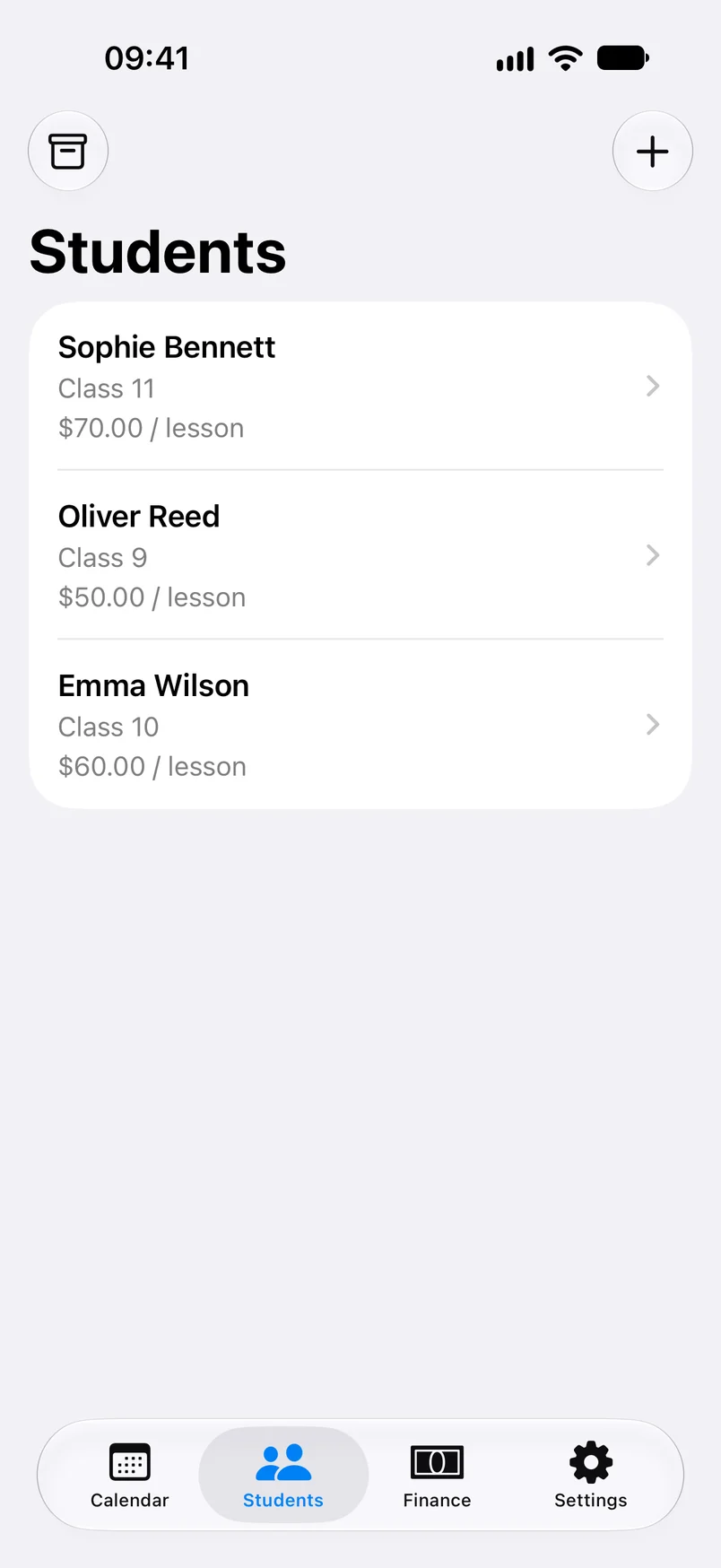
Keep student details, notes, rates, and lesson history in one profile. Archive profiles when you no longer teach a student.
Link homework to lessons and keep track of upcoming tests, quizzes, and other assessments.
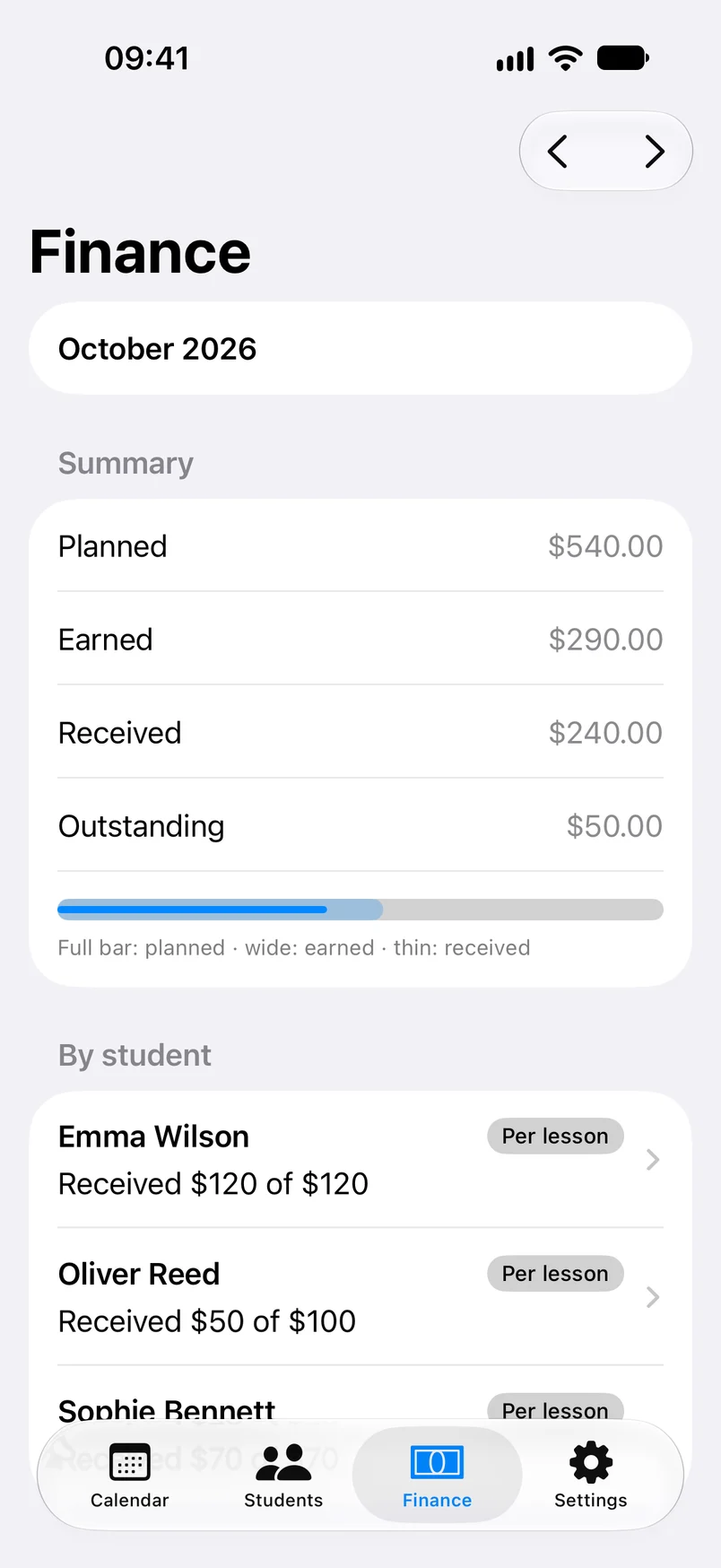
Review planned earnings, earned income, received payments, and outstanding balances. Record and undo payments manually.
Payment tracking only. TutNote does not process payments or transfer money.
A CLOSER LOOK
A native app with the tools you need, right where you expect them.
AT HOME ON YOUR DEVICES
TutNote stores your tutoring records locally and syncs them through your private iCloud database, so you can pick up on another device using the same account.
Read our privacy policyWork with locally stored data offline. Synchronization resumes when connectivity returns.
Enable local lesson reminders on each device and choose how far ahead you want a nudge.
Optionally export lessons to a separate TutNote calendar. Update lessons in TutNote; Apple Calendar edits are not imported.
Independent private tutors who want one place for lesson scheduling, student records, homework, assessments, and manually recorded payments.
Yes. TutNote supports iPhone and iPad running iOS / iPadOS 26 or later. Private iCloud synchronization connects devices signed in to the same iCloud account.
Yes, when the local store is configured and can be opened. Changes are stored locally and synchronize later. If the store cannot open, the app shows an error and blocks editing to protect existing data.
No. You manually record money you have received. TutNote does not connect to a bank, charge students, transfer money, or issue refunds.
No. TutNote exports lessons and updates its exported events. Changes made in Apple Calendar are not imported and may be overwritten by the next export.
TutNote is coming soon to the App Store. A download link will appear here when the app is available.

MORE ROOM FOR WHAT MATTERS
Your lessons, students, and records. Together in TutNote.
Coming soon to the App Store